
• Skip to main navigation
  • Skip to main content
  • Skip to footer

TELucation

TU Graz

  • Homepage
  • The TELucation Project
  • TELucation articles
    • Didactics
    • Video and Animation
    • Higher Education
    • Tools
    • TeachCenter
  • User guides
    • User Guides TeachCenter
    • User Guides Videoconferencing
    • User Guides Exams
    • Other user guides
  • Podcast
  • Skip to menu toggle button
  • Deutsch
  • English
Logo der TU Graz

Category: TeachCenter

In this category, you will find articles that provide general tips and tricks for using the TeachCenter and TeachCenter Exam. Step-by-step instructions for specific TeachCenter activities can be found in “User Guides.”

Category: TeachCenter

In this category, you will find articles that provide general tips and tricks for using the TeachCenter and TeachCenter Exam. Step-by-step instructions for specific TeachCenter activities can be found in “User Guides.”

Illustration eines Läufers zwischen zwei spitzen Klammern

#12 CodeRunner in the TeachCenter

Posted on: 08.10.2025 Update: 08.10.2025 Written by: telucation
Continue reading “#12 CodeRunner in the TeachCenter”…

#11 Best Practice Example: Exam Printer in the TeachCenter

Posted on: 03.01.2024 Update: 30.01.2026 Written by: telucation
Managing exam questions and creating in-person exams with one click

Continue reading “#11 Best Practice Example: Exam Printer in the TeachCenter”…
an illustrated outline of a monitor and the words News - What has changed?

#10 – TeachCenter 4.1

Posted on: 24.07.2023 Update: 30.01.2026 Written by: telucation
Continue reading “#10 – TeachCenter 4.1”…
Illustrierter Computer und Laptop mit aufklappbarem Akkordion und stilisierten Codeschnipseln

#09 Tips & tricks for designing and structuring your TeachCenter course (Part 3)

Posted on: 23.01.2023 Update: 04.02.2026 Written by: telucation
better overview with labels & Bootstrap
Continue reading “#09 Tips & tricks for designing and structuring your TeachCenter course (Part 3)”…
stylized text field

#08 Tips & Tricks for Designing and Structuring your TeachCenter Course (Part 2)

Posted on: 22.06.2022 Update: 30.01.2026 Written by: telucation
Better overview, more languages
Continue reading “#08 Tips & Tricks for Designing and Structuring your TeachCenter Course (Part 2)”…
a megaphone

#07 Always up to date

Posted on: 15.12.2021 Update: 30.01.2026 Written by: telucation
How do you get your news about TeachCenter (TC) and TeachCenter Exam?

Continue reading “#07 Always up to date”…

#06 Tips & Tricks for Designing and Structuring your TeachCenter Course

Posted on: 05.11.2021 Update: 30.01.2026 Written by: telucation
with Sections, Labels, Images and Completion Tracking
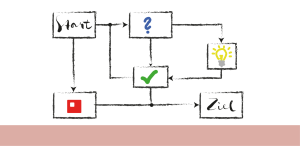
Continue reading “#06 Tips & Tricks for Designing and Structuring your TeachCenter Course”…
Flowchart

#05 Best-Practice Example Lessons in the TeachCenter

Posted on: 05.11.2021 Update: 29.01.2026 Written by: telucation
Interactive and individualized lesson preparation

Continue reading “#05 Best-Practice Example Lessons in the TeachCenter”…
an illustrated outline of a monitor and the words News - Testing in the tu graz TeachCenter

#04 Testing in the TU Graz TeachCenter

Posted on: 05.11.2021 Update: 29.01.2026 Written by: telucation
Quiz Activity
Continue reading “#04 Testing in the TU Graz TeachCenter”…
1 2 Next page »
  • Help and FAQ
  • Privacy Statement
  • Impressum
  • The TELucation Team
  • Accessibility Statement

Recent articles

29 – Christoph Aistleitner

Teaching Mathematics - Between Definition and Discussion
Continue reading “29 – Christoph Aistleitner”…

Taking attendance using the Digital Attendance List (DAL)

Continue reading “Taking attendance using the Digital Attendance List (DAL)”…

Offline Quiz in the TeachCenter (Exam)

Continue reading “Offline Quiz in the TeachCenter (Exam)”…

#28 – Daniel Fruhwirt

International teaching with teamwork and Unite!
Continue reading “#28 – Daniel Fruhwirt”…

#09 – Course Description Chatbot for Teachers at TU Graz

Improving your own course descriptions using generative AI
Continue reading “#09 – Course Description Chatbot for Teachers at TU Graz”…

Contact

Address
TU Graz, Organisational Unit Educational Technology
Münzgrabenstraße 36/I
8010 Graz

E-Mail
telucation@tugraz.at

Telephone
+ 43 (0) 316 / 873 – 8562

Die Inhalte dieser Seite sind lizenziert unter einer
Creative Commons Attribution 4.0 International Lizenz TU Graz Lehr- und Lerntechnologien sofern nicht anders angegeben.

Content on this site is licensed under a
Creative Commons Attribution 4.0 International License TU Graz Educational Technology unless otherwise indicated.

Back to top ↑